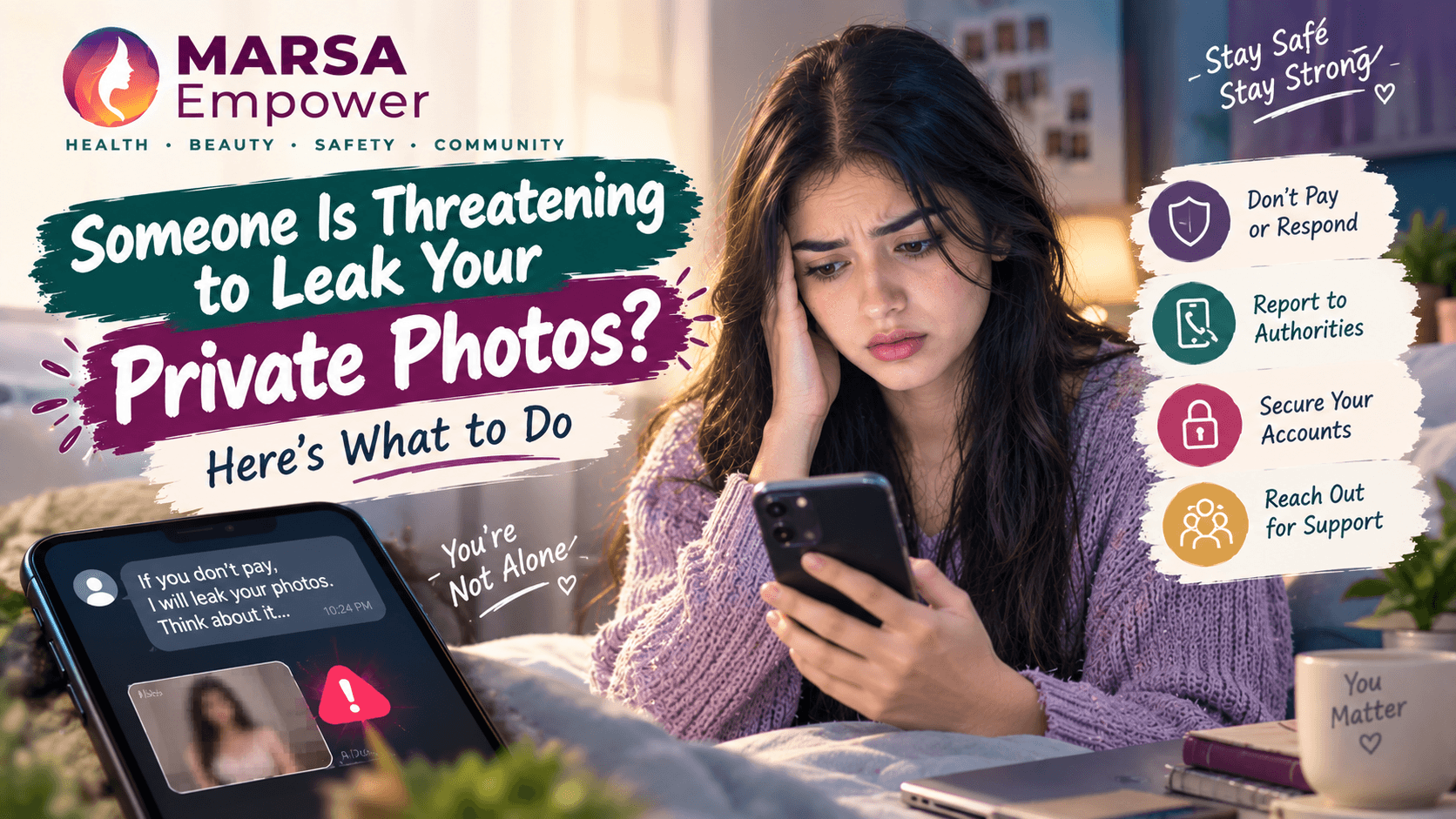
Discover practical steps to handle threats of private photo leaks. Stay calm, secure your accounts, and know where to report.

Maryam Mumtaz
Co-Founder & CEO
14 min read•10/7/2026
Marsa Empower · Personal Safety & Digital Awareness · For Girls & Women Aged 13 and Above · 14 min read
Imagine this. Someone has a private photo of you. They are threatening to send it to your friends, your family, your classmates, or your coworkers. Or they are threatening to post it online. They may want money. They may want more photos. They may want something else entirely.
Everything feels urgent and frightening.
But before you do anything, read this first.
You are not alone. This happens to many women and girls, and the people it happens to are not weak, foolish, or at fault. The person making this threat is the one doing something wrong.
The threat is not your fault. Trusting someone does not make you responsible for their abuse of that trust.
Do not give them what they are demanding. Paying does not guarantee they will delete anything. Sending more photos gives them more control over you. Sharing your password hands them direct access to everything.
There are real steps you can take. This guide walks through them one by one, from the very first moment to where to report the situation.
A private photo threat — sometimes called image-based abuse — is when someone threatens to share a private or intimate image of you without your permission. The threat is used to control, intimidate, or extort.
This threat can arrive through WhatsApp, Instagram, Facebook, Snapchat, TikTok, Telegram, SMS, email, or any other messaging platform. It can come from someone you met online, an ex-partner, a former friend, an acquaintance, or a stranger.
An important point: even if someone received a private image from you with your permission, that is not permission to share it with others. Sharing it without your consent is a separate act — and in an increasing number of countries, it is illegal regardless of how the image was originally obtained.
This type of abuse is sometimes called non-consensual intimate image (NCII) sharing, image-based sexual abuse, or sextortion when money or additional images are demanded. All of these terms describe the same fundamental violation: using your private images as a tool of control.
Stay calm. This is very hard when you are frightened, but decisions made in panic are more likely to cause additional harm. Take a breath before responding or acting.
Stop negotiating with the person. Every response you give them gives them information about how frightened you are. Silence is often safer than continued conversation.
Save the evidence. Before you do anything else — before blocking, before deleting — screenshot everything. This is explained in detail in the next section.
Block the person after saving evidence. Once you have everything documented, blocking removes their direct line of access to you.
Tell someone you trust. A parent, older sibling, close friend, teacher, or counsellor. You do not have to handle this alone.
Secure your accounts. Change passwords. Turn on two-factor authentication. Check what devices are logged into your accounts.
Report the account and content to the platform. Use the platform's official reporting tools.
Contact the appropriate authorities if you feel it is necessary. Official reporting resources are listed later in this guide.
Do not send more photos under any circumstances. This gives the person more material and more control.
Do not send money. Payment does not guarantee deletion, and it often encourages further demands.
Do not share your password or OTP. This hands them direct access to your accounts.
Do not meet the person alone. A private meeting with someone threatening you is a physical safety risk.
Do not threaten them back with exposure of their information. This can create legal complications for you.
Do not delete everything before saving it. Evidence is what makes reporting possible.
The most common version of this threat looks like this.
"Pay me or I will send it to your family." "Send more photos and I will delete these." "Send me money by tonight or I will post it."
These are manipulation scripts. The person wants you to panic, to react quickly, and to give them what they want before you have time to think clearly.
Paying does not guarantee anything. Most people who pay a sextortion demand receive a second demand shortly afterward. The payment proves to the person that threats work on you, and that you will pay again to avoid exposure.
Giving more images increases their power over you, not less. Every additional image is another threat they can make.
If they set a deadline — "by tonight," "by tomorrow morning" — this is a pressure tactic designed to prevent you from thinking, seeking help, or reporting. You are not obligated to meet their deadline.
Do not keep paying. One payment is already one too many — do not compound it.
Save all payment records — transaction confirmations, receipts, screenshots of the payment request.
Contact your bank or payment provider as quickly as possible and explain what happened. Some transactions can be reversed. All can be flagged.
Preserve all messages and the account details of the person who received the money.
Report the incident to the appropriate authority. This is addressed in the reporting section below.
You are not to blame for having paid under duress. The person who threatened you is responsible for the threat.
This is one of the most important steps in this entire guide.
Before you block the person or delete any messages, save everything. Evidence is what makes it possible to report effectively and, if necessary, to involve law enforcement.
Save screenshots of every threatening message — the full conversation, not just the worst parts. The context matters.
Save the person's username, profile name, profile picture, and any other identifying information they shared.
Save their phone number or email address.
Save any URLs they sent you, including links to where they claim the content is hosted.
Save screenshots of their profile on every platform where they contacted you.
Save payment records or payment requests if money was demanded.
Save any voice notes, audio messages, or video calls if you can capture them.
Record the dates and times of all interactions.
Save these files in at least two places — for example, email them to a trusted personal account, save them to a private folder, or use cloud storage that the threatening person does not have access to.
Important: This evidence is for reporting and protection. Do not publicly post or share the person's details as a form of revenge. This can create complications for you legally and personally. Preserve evidence for authorities.
If someone is threatening you with private images, they may already have access to your accounts, your email, your cloud storage, or your devices. Take these steps now.
Change your passwords. Change them on your email, social media accounts, cloud storage, and any account where private content might be stored. Use a strong, unique password for each account — not the same password across multiple platforms.
Turn on two-factor authentication. This adds a second layer of security so that even if someone knows your password, they cannot access your account without also having access to your phone or email. Enable this on every important account.
Check active sessions and logged-in devices. Most social media accounts and email services allow you to see which devices are currently logged in. Look for anything unfamiliar and log it out immediately.
Review your privacy settings. Check who can see your posts, stories, and tagged photos. Review your followers and friends lists for accounts you do not recognise. Tighten your direct-message settings if necessary.
Check your cloud photo storage. If you use Google Photos, iCloud, OneDrive, or any other service to automatically back up your photos, check who has access to those accounts. If the threatening person may have had access to your phone or your account at any point, change those passwords immediately and revoke any shared access.
One of the most effective tactics a person making this kind of threat uses is the threat to contact people you know. This is designed to isolate you and increase your panic.
If you feel comfortable doing so, consider telling one trusted friend or family member what is happening — before the threatening person does. You might say something like: "Someone is threatening me online. If you receive any messages or content from an unknown number about me, please do not forward it. Just let me know and report or delete it."
This removes some of the threatening person's power. If the people around you already know that a threat exists, receiving a message from the person will not have the effect they intended.
You do not have to tell everyone. You do not have to explain every detail. Choosing one trusted person to alert early is enough to begin disrupting the isolation the threat depends on.
Stay calm. The panic this threat creates is exactly what the person is counting on.
Do not begin negotiations at this point. Continued negotiation after a threat to post publicly rarely results in deletion — it usually results in more demands.
Save all evidence as described above.
Report the person's account on the platform they are using to threaten you. Use the platform's reporting tool and select the most appropriate category, typically harassment, blackmail, or non-consensual intimate images.
Tell someone you trust. Having a support person prevents the isolation that makes these situations harder to manage.
Contact the relevant cybercrime or law enforcement authority if you feel the threat is serious.
If the content is actually posted, the steps in the next section apply.
If private content of you has already been posted, take the following steps.
Step 1: Save the URL of the page or post where the content appears. Screenshot the page, the account that posted it, and any surrounding information.
Step 2: Report the content to the platform using their reporting function. Most major platforms have specific reporting categories for non-consensual intimate images. This is covered in detail in the platform section below.
Step 3: Report the account that posted the content.
Step 4: Contact the relevant cybercrime or law-enforcement authority, who may have specific tools or legal mechanisms for content removal.
Step 5: Ask trusted people not to download, share, or forward the content. Each share is a new distribution.
Step 6: Continue monitoring for reposts, since content removed from one location may reappear on another. Tools for checking this are described in the section on how to check if your images are online.
Be aware that removing one post does not necessarily mean all copies have been removed. Documentation and reporting to authorities gives you the best chance of comprehensive removal and legal protection.
If you are under 18, you are facing an additional layer of protection under the law in most countries. Private images of anyone under 18 are categorised separately in the legal system, and there are specific child-safety authorities available to help.
Tell a trusted adult immediately — a parent, guardian, teacher, school counsellor, or relative you feel safe with. Do not handle this situation entirely on your own.
Do not send any additional images to the person under any circumstances.
Do not agree to meet the person.
Save all evidence as described in this guide.
Contact your country's child cybercrime authority or child safety helpline. These are listed in the reporting section below.
Adults reading this who are helping a young person in this situation: please contact the appropriate child safety and cybercrime authority as soon as possible. Do not attempt to contact or negotiate with the threatening person on the child's behalf.
Many private photo threats come not from strangers but from someone the person knows — an ex-partner, a friend, a classmate, a coworker, or someone they met online and trusted.
The fact that you know this person does not make the threat acceptable. It does not reduce what they are doing. And it does not mean you should meet them privately to "work it out." A private meeting with someone who is threatening you is not safe.
Knowing the person also does not mean you cannot report them. Official reporting and legal protections apply regardless of the relationship between the victim and the person making the threat. You do not owe anyone silence in exchange for their previous kindness.
This fear is extremely common and is often the most powerful element of a private photo threat. The person making the threat knows this fear, which is exactly why they use it.
Fear of a family's reaction is real. Not every family will respond the same way, and not every home environment feels safe for this kind of disclosure. This guide does not pretend otherwise.
But consider this: the person threatening you is counting on your fear to keep you isolated. Isolation makes it harder for you to get help, harder for you to report, and easier for the threats to continue.
You do not have to tell everyone. You do not have to explain every detail at once. Choosing one person — one friend, one relative, one counsellor — to tell first can make an enormous difference. That one person can provide support, help you think clearly, and help you take the next steps.
Getting support early is usually safer than handling a serious threat alone.
Paying repeatedly. Each payment increases the likelihood of another demand, not a resolution.
Sending more photos. This gives the threatening person more material to use against you.
Giving passwords or OTPs. This hands them direct access to your private accounts and files.
Trying to negotiate for hours. Extended engagement gives the person information about your fears and gives them more time to escalate.
Meeting the person alone. Private meetings with someone who is threatening you carry physical safety risks.
Deleting all evidence before saving it. Evidence is needed for reporting.
Creating accounts to expose or harass the person in return. This can create legal complications for you and rarely resolves the situation.
Keeping the situation entirely secret when you have safe people to tell. Isolation makes recovery harder.
National Cyber Crime Investigation Agency (NCCIA)
The NCCIA is the authorised federal law-enforcement agency for cybercrime in Pakistan.
Official complaint portal: https://complaint.nccia.gov.pk
Official website: https://www.nccia.gov.pk
Helpline: 1799
For threats involving image-based abuse, harassment, or financial extortion, a report can be filed online or in person at a Cybercrime Reporting Centre.
For immediate physical danger: Contact your local police emergency number. An online form is not an emergency response channel.
National Cyber Crime Reporting Portal
This portal specifically includes categories for women and children's cybercrime, including image-based abuse and online harassment.
Official portal: https://cybercrime.gov.in
Helpline: 1930
Women's helpline: 181
NCPCR (National Commission for Protection of Child Rights) for cases involving minors: https://ncpcr.gov.in
Revenge Porn Helpline
Specifically supports victims of non-consensual intimate image sharing.
Website: https://revengepornhelpline.org.uk
Helpline: 0345 6000 459 (England and Wales)
Cyberflashing and NCII reports can also be made to local police or via Action Fraud: https://www.actionfraud.police.uk
FBI — Internet Crime Complaint Center (IC3)
Official reporting portal for cybercrime including image-based extortion and sextortion: https://www.ic3.gov
FTC — Consumer Advice
FTC guidance on online extortion: https://consumer.ftc.gov
Report fraud: https://reportfraud.ftc.gov
NCMEC (National Center for Missing and Exploited Children) for cases involving minors — CyberTipline: https://www.missingkids.org/gethelpnow/cybertipline
Canadian Centre for Child Protection for cases involving minors: https://www.cybertip.ca
RCMP Cybercrime reporting: https://www.rcmp-grc.gc.ca/en/cybercrime
eSafety Commissioner
Australia's official authority for online safety including image-based abuse.
Report NCII here: https://www.esafety.gov.au/report/image-based-abuse
Image-based abuse reporting is legally supported under Australian law.
If your country is not listed here, search for your country's official cybercrime reporting agency, national women's protection helpline, or national child safety authority. Most countries have at least one of these resources available.
Each major platform has its own reporting process. Below is a summary of where to go for each platform. Always save evidence before reporting — reporting does not always result in immediate removal, and you may need the record for a follow-up.
Both platforms have specific categories for reporting non-consensual intimate images. On Instagram: go to the profile or post → tap the three dots (⋯) → tap Report → follow the prompts and select the most relevant category (nudity, harassment, or sextortion). On Facebook, the same process applies to posts, profiles, and messages.
Meta also has a dedicated resource: https://www.facebook.com/help/1561485474074139
For threats received on WhatsApp: go to the chat → tap the contact name → tap Report. You can also report from the contact's profile.
WhatsApp safety: https://www.whatsapp.com/security
Report on Snapchat: press and hold the chat or snap → tap Report. You can also report a profile by holding the username.
Snapchat safety: https://help.snapchat.com/hc/en-us/articles/7012333459348
Long-press a video or tap the share button → Report. For account-level reports, go to the profile and tap the three dots.
TikTok safety: https://www.tiktok.com/safety
In a chat: tap and hold the message → Report. For a channel or account: open their profile → tap the three dots → Report.
Click the three dots on a tweet or profile → Report. Select the relevant category.
X safety: https://help.twitter.com/en/safety-and-security
For content appearing in Google Search results or on YouTube, use Google's content removal request: https://support.google.com/legal/troubleshooter/1114905
For YouTube content specifically: below the video → three dots → Report.
Save evidence first. Report the content using the most specific available category (non-consensual intimate images, harassment, blackmail, sextortion). Block the account after reporting when appropriate. Keep the reference number or confirmation from the platform for your records.
This is an important section. If you suspect private images of you may have been shared online — even if you have not been directly threatened — there are tools that can help you search.
Website: https://stopncii.org
StopNCII is a free tool operated by the Revenge Porn Helpline in partnership with major platforms including Facebook, Instagram, TikTok, Snapchat, Bumble, and others.
How it works: You do not upload your image. Instead, the tool creates a digital fingerprint (hash) of the image on your own device. That fingerprint is shared with partner platforms, who use it to detect and prevent the image from being uploaded or distributed — without any human ever viewing your actual photo.
This is one of the most important free tools available globally for preventing the spread of non-consensual intimate images. It is available to anyone worldwide.
Website: https://takeitdown.ncmec.org
Operated by the National Center for Missing and Exploited Children (NCMEC), Take It Down works in the same way as StopNCII — using a hash of the image rather than the image itself — but is specifically designed for content involving people who were under 18 when the image was taken.
This tool is available globally and partner platforms use it to detect and remove content.
Website: https://images.google.com
You can upload an image or use a screenshot to search Google for visually similar images. This can tell you whether an image has appeared on publicly accessible websites.
How to use: Go to Google Images → click the camera icon → upload the image or paste a URL.
Website: https://tineye.com
TinEye is a dedicated reverse-image search engine that searches its own indexed database for exact or modified versions of an image.
How to use: Upload the image directly or drag and drop it into the search box.
Website: https://yandex.com/images
Yandex's image search is known for being particularly thorough in finding images hosted on smaller or less mainstream websites. It covers a wider range of sources than Google Images for some types of content.
How to use: Click the camera icon in the search bar → upload image.
Website: https://www.bing.com/visualsearch
Microsoft's Bing also offers reverse image search. Useful as an additional check alongside Google.
Facebook uses its own internal PhotoDNA technology to detect and remove known non-consensual intimate images that have been reported to StopNCII or reported directly. If you have reported through StopNCII, Facebook and its affiliated platforms are automatically covered.
If you find your images posted without your consent:
Save the URL of the page or post. Screenshot the surrounding content and account details. Report the content to the platform using its reporting system. Report to the relevant national authority from the list above. Contact a support organisation such as the Revenge Porn Helpline (UK) or NCMEC (for minors) for guidance on platform-level and legal removal.
There are practical steps that reduce the risk of private images being misused, and they are worth knowing.
Be thoughtful about who receives private images. Once an image leaves your device, you cannot fully control what happens to it.
Review the security of your cloud storage. Use strong, unique passwords on Google Photos, iCloud, OneDrive, and any other service that stores your photos. Check whether automatic backup is turned on and who has access.
Use two-factor authentication on all important accounts.
Keep your device locked with a strong PIN or biometric lock.
Review app permissions on your phone. Some apps request access to your photos or camera that may not be necessary for their function.
Review privacy settings regularly on all social media accounts.
But this must be said clearly and directly: no privacy setting and no amount of caution can guarantee that another person will not misuse something you shared with them in trust. Image-based abuse happens because someone chooses to abuse their position of trust — not because the victim made a mistake. Protective measures reduce risk. They do not transfer responsibility.
If you are reading this because a threat is happening right now, follow these steps.
1. Stop responding to the person. Do not send anything.
2. Do not pay any money.
3. Do not send more images.
4. Screenshot all the threatening messages.
5. Save their username, phone number, profile, and any URLs they sent.
6. Save payment records if money was demanded.
7. Tell one person you trust — right now.
8. Change your important passwords immediately.
9. Enable two-factor authentication on your email and social media accounts.
10. Report the person's account to the platform.
11. Report the incident to the appropriate authority from the list in this guide.
12. If you are in immediate physical danger, contact your local emergency services.
Read this section carefully.
Being threatened does not make you careless, foolish, or deserving of what is happening to you.
Trusting someone does not make you responsible for their decision to abuse that trust.
Sharing a private image does not give another person permission to distribute it. Permission to send is not permission to share. These are different acts, and the second one is a violation.
Many thousands of girls and women across the world face this type of threat. They come from every background, every education level, and every type of family. Image-based threats are not caused by the behaviour of the person being threatened. They are caused by the person making the choice to threaten.
Asking for help is the right thing to do. It is not something to be ashamed of.
If you are struggling emotionally after a threat like this, please speak with a counsellor, a helpline, or a trusted person in your life. The psychological effects of this type of abuse are real, and they deserve care.
Go through this list when you are facing a private photo threat.
Women's empowerment is not only about health and career. It is also about digital rights, personal safety, and the knowledge to protect yourself in situations that no one expects to face but many women do.
Understanding image-based abuse — what it is, how it works, what to do, and where to get help — is part of knowing your rights. Recognising manipulation when it is happening is a skill. Setting clear boundaries, even in frightening situations, is a form of confidence.
Marsa Empower believes that every woman and girl deserves access to practical, honest, safety-focused information — not just about physical health, but about the full range of situations she may encounter. Digital safety is one of those situations. It belongs in the same conversation as every other form of personal protection.
Knowing what to do when something goes wrong is not pessimism. It is preparation. And preparation is power.
A better future means not only building opportunities — it also means knowing how to protect yourself when someone tries to use fear as a weapon.
You do not have to face a private photo threat alone.
Do not pay. Do not send more images. Do not share your passwords or OTPs.
Save the evidence before you do anything else.
Protect your accounts — change passwords, enable two-factor authentication, check active sessions.
Tell one trusted person.
Report the threat to the platform.
Use StopNCII to protect your images from further spread.
Contact the appropriate authority in your country.
If you are under 18, tell a trusted adult immediately.
If you are in physical danger, contact emergency services.
And if something has already happened — if you already paid, or if content has already been shared — it is not too late to take action. Document what happened, report it, and get support. You are not at fault. You are not alone.
StopNCII — Hash-based image protection tool (Global) https://stopncii.org
Take It Down — For under-18s (Global, NCMEC) https://takeitdown.ncmec.org
Revenge Porn Helpline — UK (0345 6000 459) https://revengepornhelpline.org.uk
Pakistan — NCCIA Complaint portal: https://complaint.nccia.gov.pk Website: https://www.nccia.gov.pk Helpline: 1799
India — National Cyber Crime Reporting Portal https://cybercrime.gov.in Helpline: 1930
Australia — eSafety Commissioner https://www.esafety.gov.au/report/image-based-abuse
USA — FBI Internet Crime Complaint Center (IC3) https://www.ic3.gov
USA — NCMEC CyberTipline (minors) https://www.missingkids.org/gethelpnow/cybertipline
Canada — Cybertip.ca https://www.cybertip.ca
Google Image Removal Request https://support.google.com/legal/troubleshooter/1114905
TinEye Reverse Image Search https://tineye.com
Yandex Reverse Image Search https://yandex.com/images
Every link in this guide was verified at time of writing. Official reporting procedures and contact details change. Always confirm current information through the official agency website before reporting.
Disclaimer
This article is for educational and safety-awareness purposes. It does not constitute legal advice. If you are in immediate danger, contact your local emergency services. For cybercrime reporting, use the official resources listed above.
Marsa Empower | Care. Safety. Growth.
Visit marsaempower.com for women's health, personal safety, and digital awareness resources.
Medical Disclaimer
This article is for general informational and educational purposes only and is not a substitute for professional medical advice, diagnosis, or treatment. Always seek the advice of a qualified healthcare provider with any questions you may have regarding a medical condition. Never disregard professional medical advice or delay seeking it because of something you have read on MARSA Empower.
Written By
Maryam Mumtaz
Co-Founder & CEO
Co-Founder of MARSA Empower who leads the visual and strategic evolution of the platform. Maryam bridges technical complexity with human-centric design, architecting the team's official roadmap and ensuring MARSA effectively addresses the real-world needs of women. With deep expertise in agentic AI, full-stack development, and UI/UX design, she has delivered 50+ projects for 30+ satisfied clients.
Enjoyed this story?