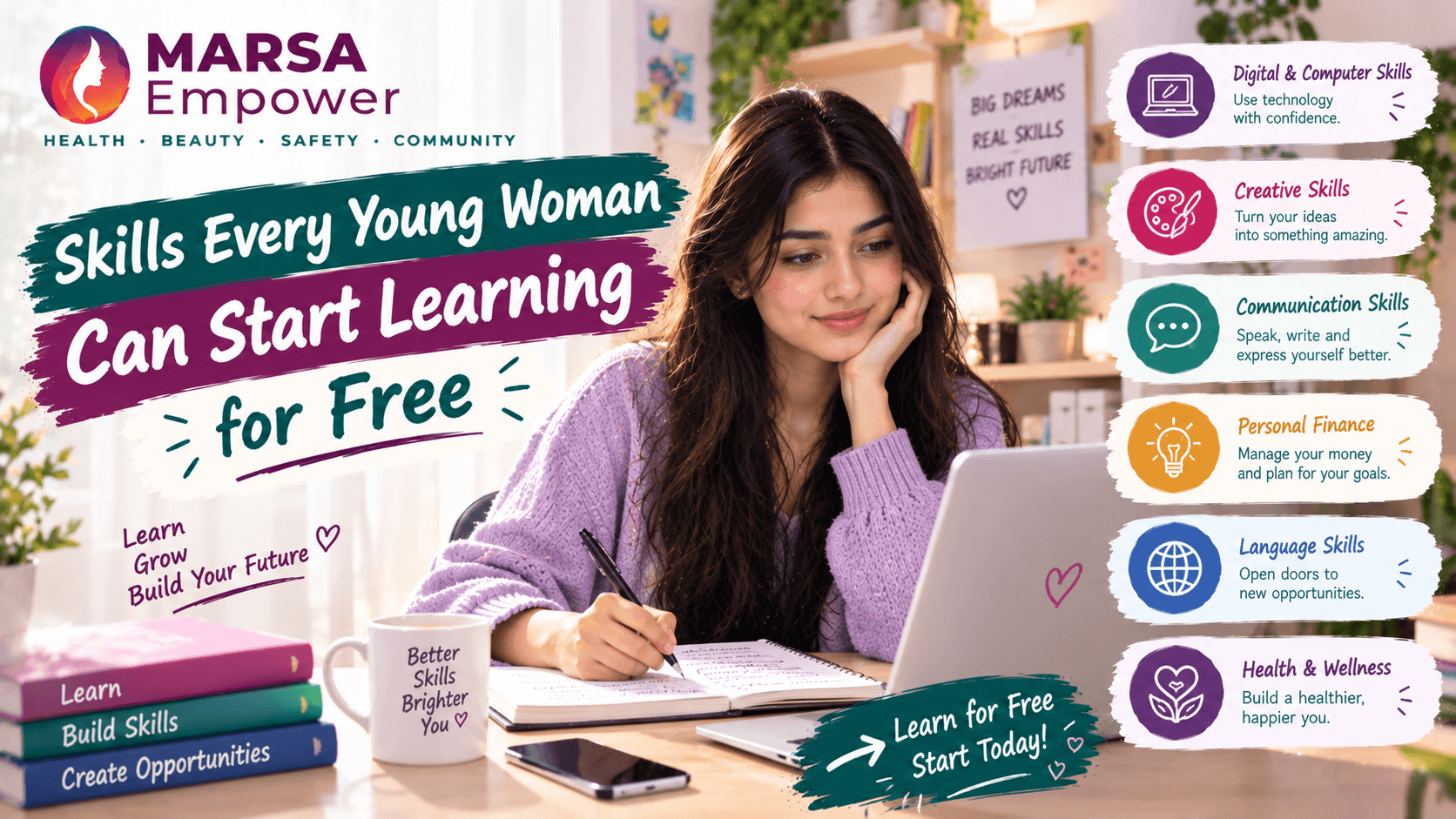
Discover the empowering skills every young woman can learn for free to enrich their personal and professional lives.

Maryam Mumtaz
Co-Founder & CEO
10 min read•10/12/2026
Marsa Empower · Career & Growth · For Girls & Women of All Ages · 10 min read
Learning a new skill does not have to cost anything.
You do not need an expensive course, a new laptop, or a professional certificate to get started. Thousands of girls and women around the world are building real, practical skills — for free — using their phones, a basic internet connection, and a little bit of time each day.
This guide introduces seven skills that are genuinely useful, genuinely free to begin, and genuinely within reach for girls at any age and any stage of life.
Some of you are students. Some are working. Some are managing a home and looking for something of your own. Some of you have tried to learn before and stopped.
Wherever you are starting from — this is a guide for you.
You do not need to learn everything. You just need to begin with one thing.
Here is a quick overview of everything covered in this guide.
| # | Skill | Best For | Time to Begin | Free Resource |
|---|---|---|---|---|
| 1 | Digital & Computer Skills | Everyone | Anytime | Google Applied Digital Skills |
| 2 | English Communication | All ages | Anytime | BBC Learning English |
| 3 | Graphic Design | Creative learners | Anytime | Canva Design School |
| 4 | Coding & Web Development | Curious beginners | With regular time | freeCodeCamp |
| 5 | Digital Marketing | Business-minded learners | Anytime | HubSpot Academy |
| 6 | Freelancing Skills | Anyone wanting flexible work | Anytime | DigiSkills.pk |
| 7 | Artificial Intelligence | All curious learners | Anytime | Microsoft Learn |
How to use a computer or phone confidently for everyday tasks — creating documents, making presentations, searching online, using email, and organising files.
Almost every job today — from teaching to business to healthcare — involves some use of computers. These are the foundation skills that make everything else easier.
✅ Apply for jobs that require basic computer use ✅ Help at school or at home with documents and research ✅ Feel more confident using technology every day
Google Applied Digital Skills https://applieddigitalskills.withgoogle.com
Free, beginner-friendly, and available in multiple languages. Lessons are short and practical. No sign-up cost.
How to write clear messages, emails, and professional documents. How to improve your reading, listening, vocabulary, and spoken English through daily practice.
English is used widely in education, online work, and professional environments. Strong written communication makes you easier to understand and more confident to engage with.
✅ Write professional emails and messages ✅ Communicate better in job applications and interviews ✅ Understand and participate in English-language courses and content
BBC Learning English https://www.bbc.co.uk/learningenglish
Completely free. Audio, video, and written lessons for all levels — from beginner to advanced. Available on any device.
Basic layout, colours, typography, and how to create posters, social media graphics, presentations, and simple visual content.
Visual content is everywhere — on social media, in businesses, in schools, and in NGOs. People who can create clean, professional visuals are needed in almost every sector.
✅ Design social media posts for a business or personal project ✅ Create presentations and event posters ✅ Start a small freelance design service
A poster for an event you care about, a social media graphic for a cause, or a simple CV or presentation — any one of these is a great first project.
Canva Design School https://www.canva.com/design-school
Free lessons with a free Canva account. Canva is easy to use on a phone or laptop. The free version is sufficient for most beginner and intermediate projects.
The basics of how websites are built — starting with HTML (structure) and CSS (appearance). From there, you can explore JavaScript (interactivity) or Python (data, automation, and more).
Coding opens doors to one of the most in-demand and well-paying fields in the world. You do not need to become a software engineer — even basic web knowledge is useful.
✅ Build a simple personal website or portfolio ✅ Understand how digital products work ✅ Move into web development or software as a career path
A simple personal webpage that introduces you — your name, a short paragraph about yourself, and a list of your interests or skills. This is a first project that takes one to two weeks.
freeCodeCamp https://www.freecodecamp.org
Completely free. Structured courses from beginner to advanced. Certifications are also free. One of the most trusted coding resources in the world.
How to plan content, manage social media accounts, understand your audience, and read basic analytics to see what is working.
Every business, NGO, school, and public figure now needs an online presence. People who understand how to reach audiences online are valuable in every industry.
✅ Manage social media for a business or organisation ✅ Plan and run basic online campaigns ✅ Work in marketing for companies or freelance clients
Create a sample 2-week content plan for a small fictional business or a cause you care about — decide what to post, when, and why. This teaches you to think like a marketer without needing a client yet.
HubSpot Academy — Digital Marketing Course https://academy.hubspot.com/courses/digital-marketing
Free course with a free certificate included. HubSpot certificates are recognised by many employers. No payment required.
How to offer services online — including writing, virtual assistance, data entry, design, research, and social media management. How to communicate with clients, set prices, and present your work professionally.
Freelancing makes it possible to earn income from home, on a flexible schedule, using skills you already have or are building. It is particularly relevant for women who need flexibility in their working arrangements.
Learning a skill and completing a course is the start — not an automatic guarantee of income. Building freelance work takes practice, patience, and consistent effort. Start with realistic expectations and focus on building your skills and your portfolio first.
✅ Begin offering services on platforms like Upwork or Fiverr ✅ Work with local small businesses as a freelancer ✅ Build experience that leads to more opportunities over time
DigiSkills.pk https://www.digiskills.pk
Free courses in freelancing, digital skills, and online work. Available in Urdu and English. Backed by the Pakistan government. Particularly relevant for Pakistani users.
What AI is, how AI tools work, and how to use them to support learning, research, writing, and productivity. How to evaluate AI-generated information critically rather than accepting everything it produces.
AI tools are becoming part of everyday work, education, and communication. Understanding how to use them well — and how to spot their limitations — is quickly becoming a basic skill.
✅ Use AI tools to support your study and work ✅ Understand AI enough to apply for roles that involve it ✅ Stay informed as AI continues to develop
Never share passwords, private documents, personal identity information, or sensitive details with any AI tool. AI tools are designed for general use — they are not secure storage for personal or confidential information.
Always verify important information that an AI tool produces. AI can make mistakes, and its answers are not always accurate or current.
Microsoft Learn — AI Skills https://learn.microsoft.com/training
Free, structured learning paths for AI, cloud, and productivity tools. Available to anyone with a Microsoft account. Certificates for some paths are available at no cost.
With seven skills to choose from, it can feel difficult to know where to begin. Use this simple set of questions to decide.
| Question | What it tells you |
|---|---|
| What do I find interesting or enjoy? | Skills you enjoy are easier to practise consistently |
| What would help me in my studies or current work? | Start with what is immediately useful |
| How much time can I give each week? | Some skills (coding) need more regular time; others are more flexible |
| What device and internet access do I have? | All resources listed here work on a basic smartphone |
| Do I want to earn from this skill, or learn for personal development? | Both are valid — but set your expectation accordingly |
Choose one skill. Start with the beginner course. Give it four weeks before deciding whether to continue.
| Week | Goal | Daily Time | Example Action |
|---|---|---|---|
| Week 1 | Choose one skill and complete the first lesson | 20 minutes | Watch the intro module. Take one note. |
| Week 2 | Practise what you are learning every day | 20–30 minutes | Follow along with examples. Try exercises. |
| Week 3 | Create a small project using the skill | 30–45 minutes | Make a poster, write a short article, build a simple webpage |
| Week 4 | Improve the project and review your progress | 30 minutes | Ask one person for feedback. Note what you want to learn next. |
You do not need paid client work to have a portfolio. You simply need examples of what you can do.
Save your practice projects. Every poster you design, article you write, small webpage you build, or campaign you plan is an example. Save them all — even the ones that are not perfect.
Create two or three pieces that show a range of what you can do. A portfolio does not need to be large. Two or three clear, organised examples are more impressive than a dozen rushed ones.
Organise them simply. A free Google Drive folder, a Canva presentation, or a simple document with links and screenshots is enough to begin. You do not need a paid portfolio website when you are starting out.
Be honest about what the work is. Clearly label practice work as "personal project" or "sample work" rather than presenting it as paid client work. Honesty builds trust.
Improve over time. Your portfolio should grow as your skills grow. The first version does not need to be perfect.
| Mistake | What to do instead |
|---|---|
| Trying to learn three or four skills at once | Choose one. Master the basics before adding more. |
| Paying for a course before checking free alternatives | Check every resource in this guide first. All are free to begin. |
| Expecting immediate employment or income | Set a realistic timeline. Skills take weeks to build and months to monetise. |
| Watching tutorials without practising | Close the video. Open the tool. Try it yourself. |
| Comparing your progress to someone else's | Compare only to where you were last week. |
| Enrolling and not starting | Starting one course is better than saving ten links. |
One of the most powerful things about learning new skills is what happens when you share them.
When you find a good free course, tell your friend. When you finish a project you are proud of, show it to someone. When another girl is struggling with something you have already figured out, offer to explain it.
Knowledge grows when it is shared. Skills become more valuable when more people in your community have them.
Every girl reading this guide started at a beginning. Every experienced designer, developer, marketer, or writer was once exactly where you are now — looking at something new and wondering if they could do it.
You can.
Everyone starts somewhere. Start today. Share what you learn. Celebrate each other's progress.
You do not need to learn everything at once.
You do not need the perfect course, the latest device, or the right moment.
Pick one skill from this guide. Open the free resource. Complete the first lesson today — not tomorrow, not after your exams, not when things are less busy.
Practise for 20 minutes a day. Build one small project. Save it. Show someone.
That is how it starts.
| Skill | Free Resource | Link |
|---|---|---|
| Digital & Computer Skills | Google Applied Digital Skills | https://applieddigitalskills.withgoogle.com |
| English Communication | BBC Learning English | https://www.bbc.co.uk/learningenglish |
| Graphic Design | Canva Design School | https://www.canva.com/design-school |
| Coding & Web Development | freeCodeCamp | https://www.freecodecamp.org |
| Digital Marketing | HubSpot Academy | https://academy.hubspot.com/courses/digital-marketing |
| Freelancing & Online Work | DigiSkills.pk | https://www.digiskills.pk |
| Artificial Intelligence | Microsoft Learn | https://learn.microsoft.com/training |
Note on Certificates
Most of the courses listed above are completely free to take. Some platforms offer optional paid certificates or premium tiers. You do not need to pay to learn the skills. Always check whether a certificate is required for your specific goal before paying for one.
Disclaimer
Completing a free course does not guarantee employment or income. Learning is the foundation — practice, projects, and consistent effort build the skills that create opportunities over time.
Marsa Empower | Care. Safety. Growth. Visit marsaempower.com for women's health, personal safety, and growth resources.
Medical Disclaimer
This article is for general informational and educational purposes only and is not a substitute for professional medical advice, diagnosis, or treatment. Always seek the advice of a qualified healthcare provider with any questions you may have regarding a medical condition. Never disregard professional medical advice or delay seeking it because of something you have read on MARSA Empower.
Written By
Maryam Mumtaz
Co-Founder & CEO
Co-Founder of MARSA Empower who leads the visual and strategic evolution of the platform. Maryam bridges technical complexity with human-centric design, architecting the team's official roadmap and ensuring MARSA effectively addresses the real-world needs of women. With deep expertise in agentic AI, full-stack development, and UI/UX design, she has delivered 50+ projects for 30+ satisfied clients.
Enjoyed this story?